Organized and facilitated a credentialing vision workshop with cross-functional leadership including Product Management, Chief Medical Officer, Technical Writing, Customer Support, Solution Success, Professional Services, Business Analysts, Marketing, and UX.
Using current credentialer research as our foundation, we collaboratively defined the ideal credentialing experience for 5+ years out.
The workshop delivered a unified vision statement that now serves as the evaluation criteria for future product initiatives, ensuring strategic alignment across all credentialing efforts.
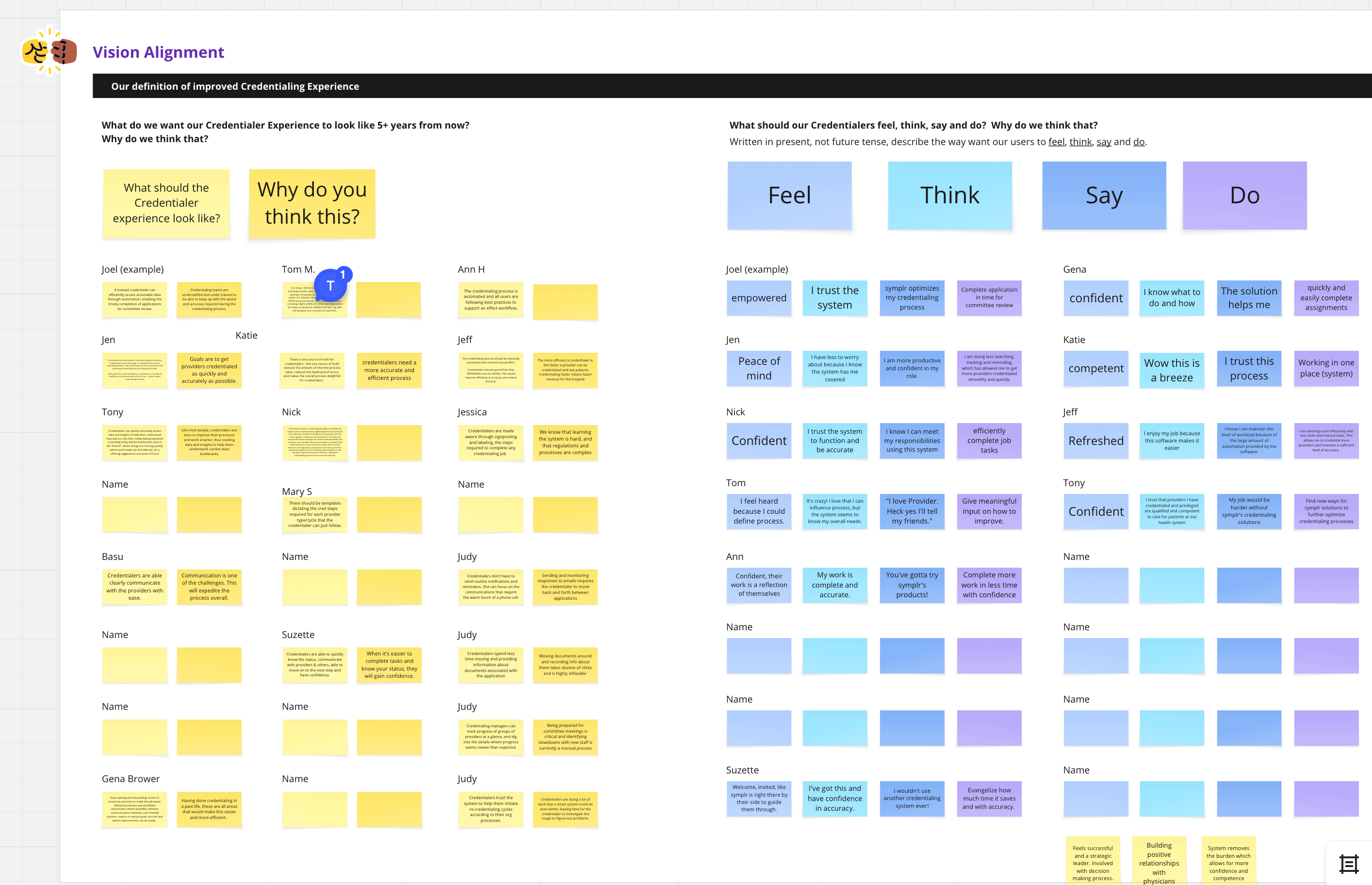
To ground the workshop in user reality, we started by reviewing the most current credentialer research across all participants. This included recent interviews, surveys, and behavioral studies highlighting key pain points like time-consuming manual processes, complex compliance requirements, and system fragmentation.
Bringing everyone—from the Chief Medical Officer to Marketing—up to speed on the same data ensured our vision would address actual user needs rather than organizational assumptions.
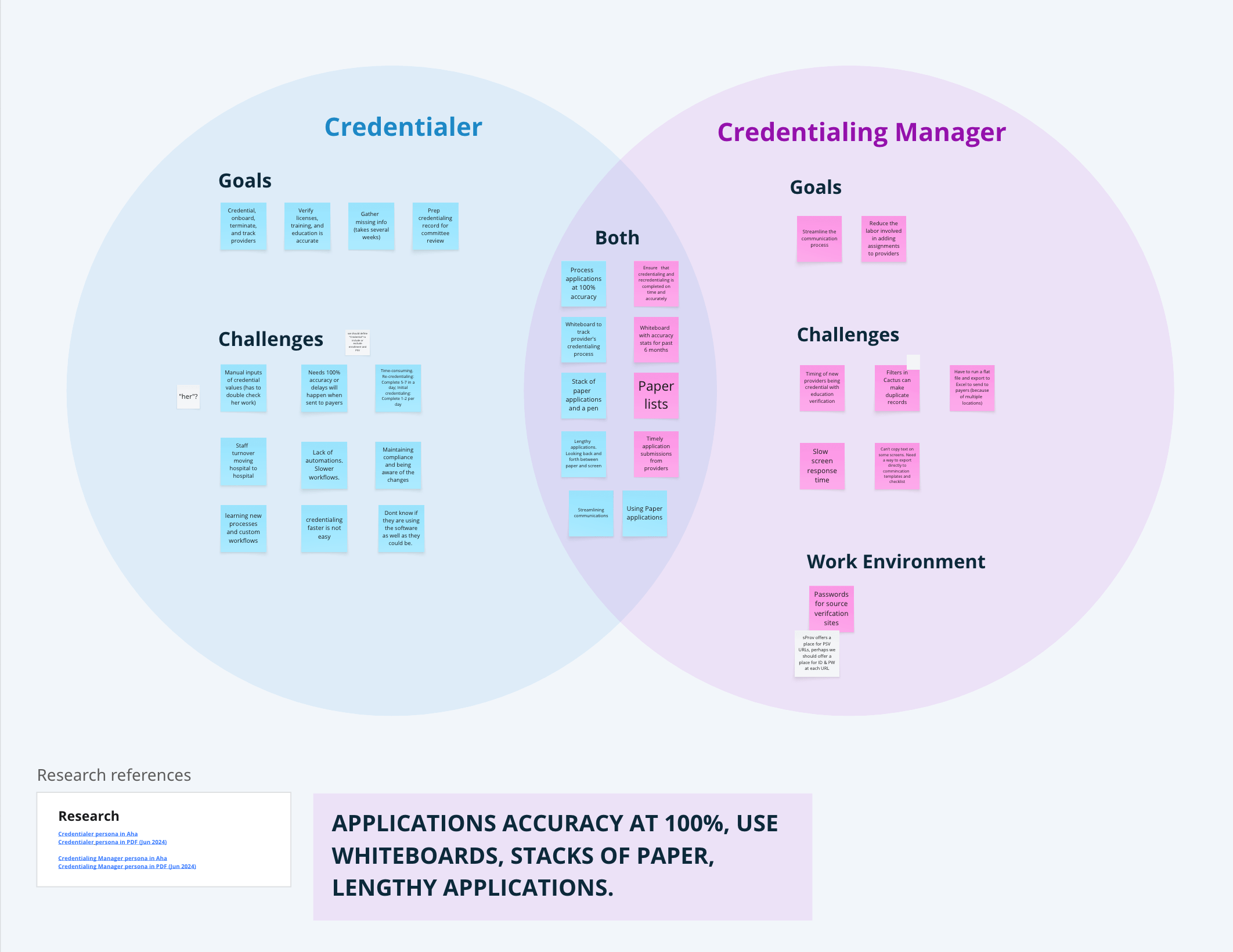
Venn diagram mapping shared and distinct goals between Credentialers and Credentialing Managers, revealing where pain points overlap and where each role has unique needs.
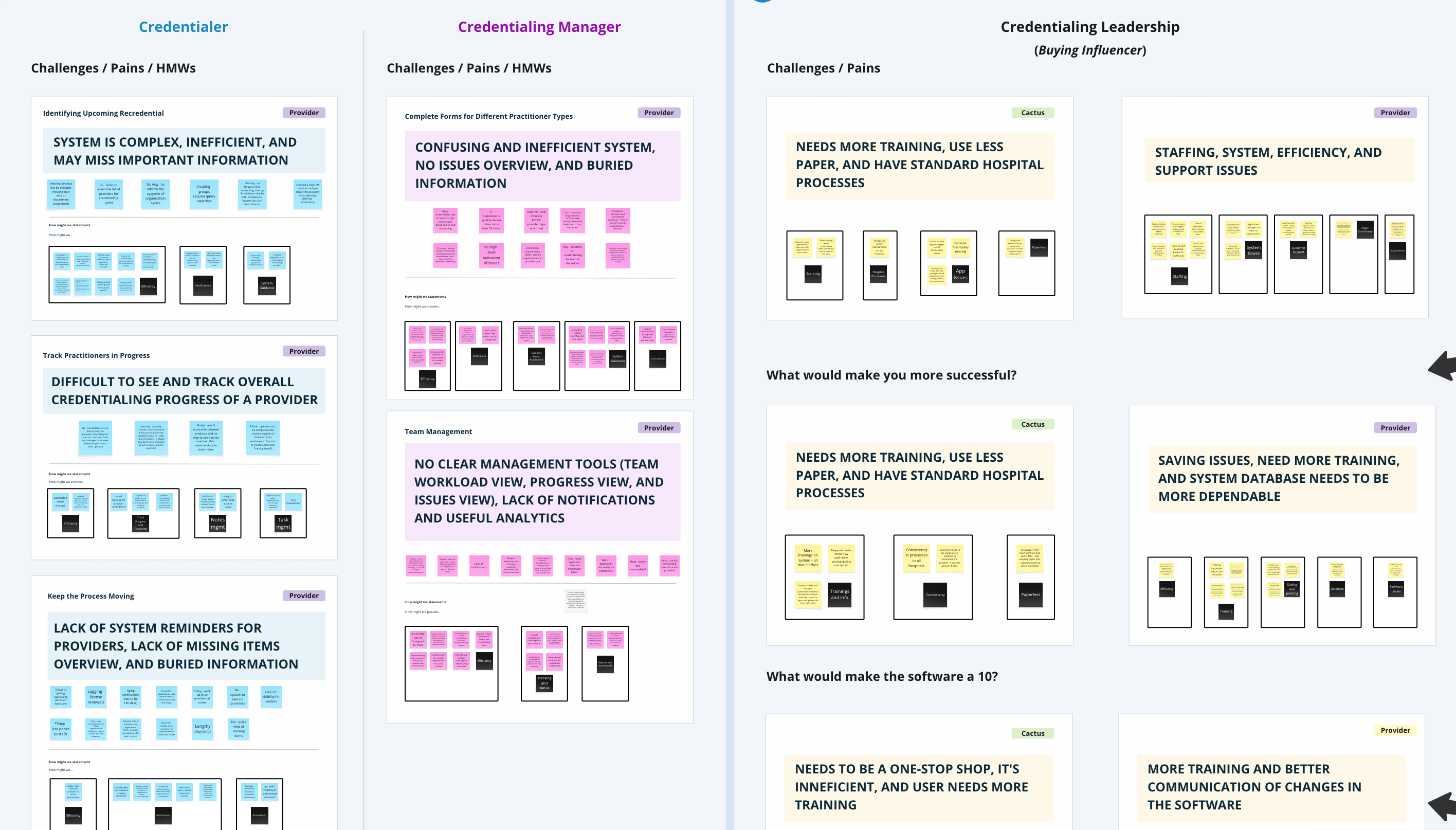
Comparing user and buyer perspectives—credentialer/manager pain points from UX research (left) alongside leadership priorities from Marketing surveys (right)—to ensure the vision addresses both operational needs and organizational goals.
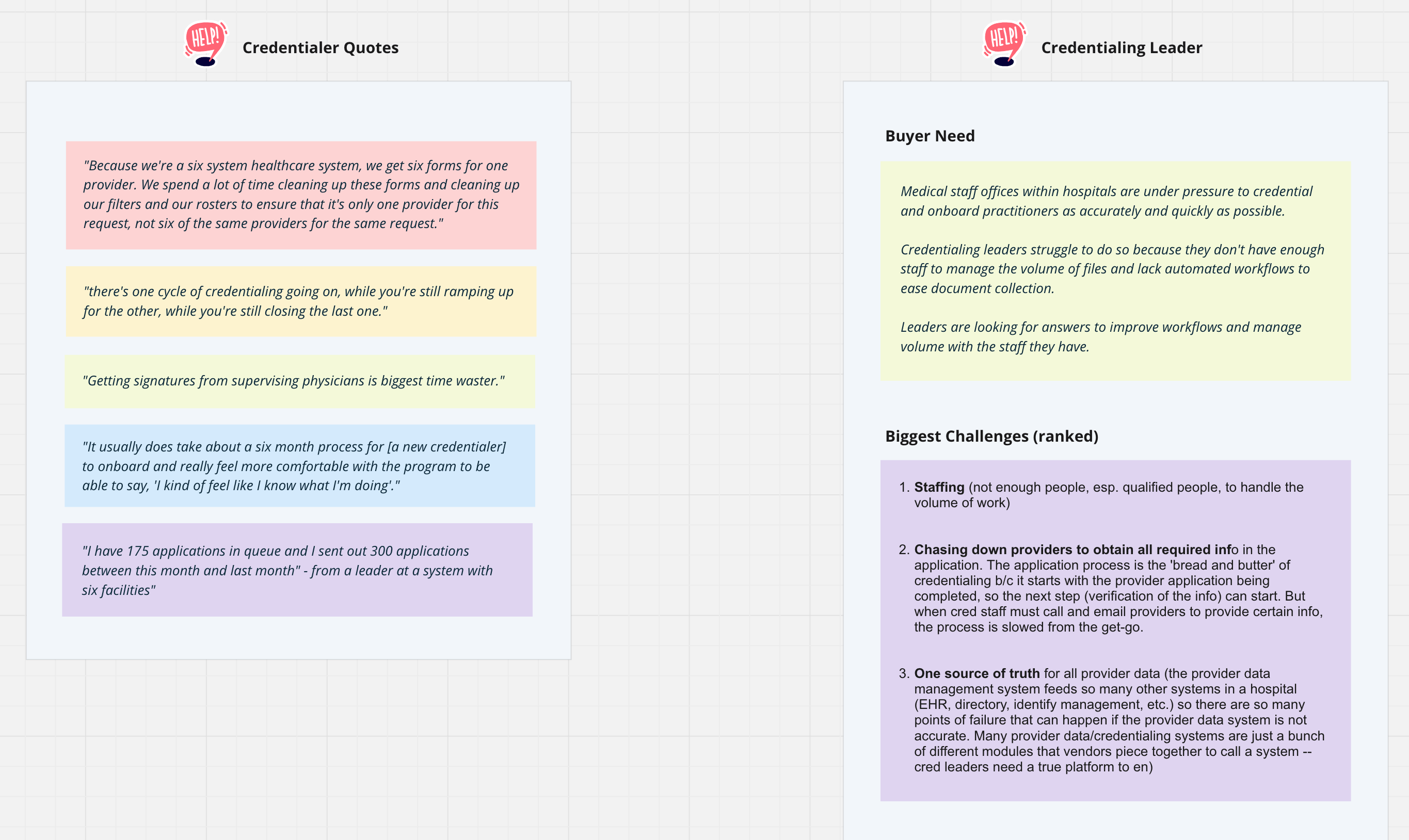
End-user pain points (left) paired with leadership priorities (right), showing where day-to-day challenges align with organizational buying decisions and strategic needs.
With a shared understanding of user research, workshop participants collaboratively defined what the ideal credentialing experience should become and why.
We explored what credentialers should feel, think, say, and do when using the envisioned system—moving from frustration and workarounds to confidence and efficiency.
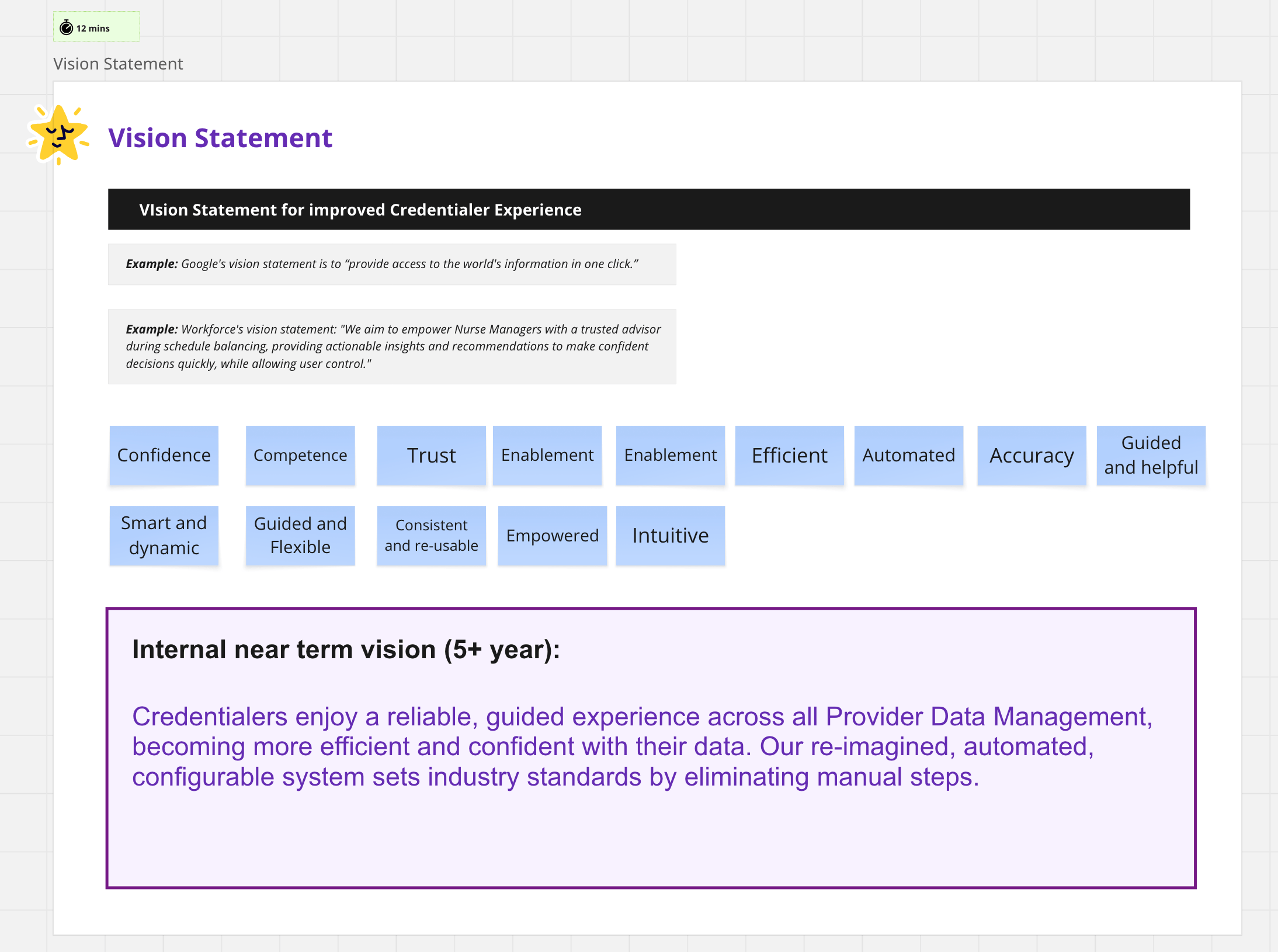
Through structured discussion, the group crafted a unified vision statement that captures our aspirational future state.
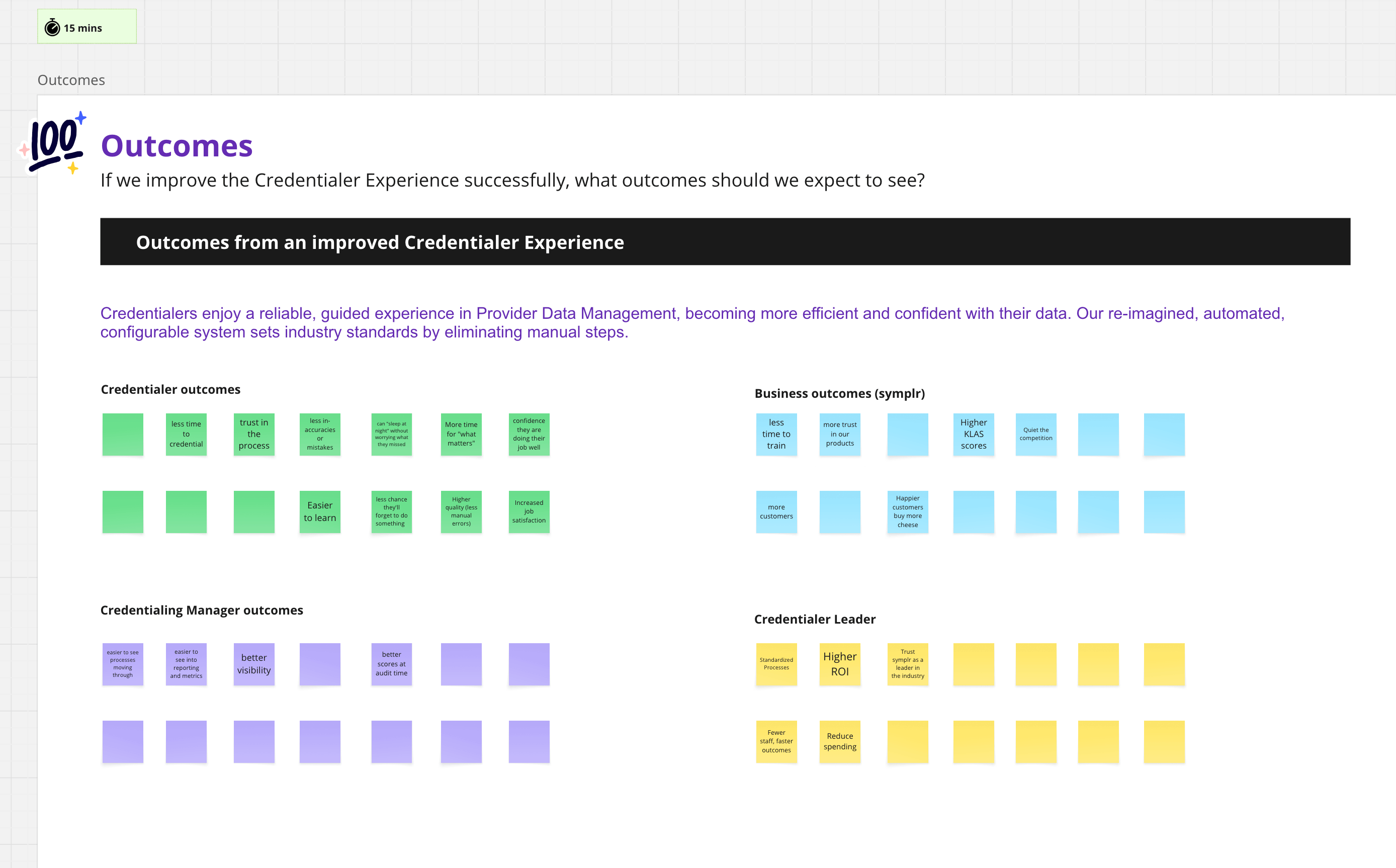
To measure success, we then outlined specific outcomes for each stakeholder: what credentialers, managers, and leadership would experience if we achieved this vision, alongside the business benefits.
This framework ensures future initiatives can be evaluated against concrete success criteria across all levels of the organization.
The credentialing vision workshop successfully aligned diverse stakeholders—from the Chief Medical Officer to Marketing—on a unified 5+ year direction for the credentialing experience. By grounding discussions in current user research, the cross-functional team collaboratively crafted a vision statement that addresses both day-to-day credentialer pain points and organizational buying priorities.
The workshop delivered clear success criteria across four stakeholder levels—credentialers, managers, leadership, and business outcomes—providing a framework for evaluating future product initiatives. This vision statement now serves as the north star for credentialing product decisions, ensuring all teams work toward a cohesive, user-centered future rather than fragmented, reactive improvements.
The alignment achieved in this workshop laid the foundation for the Credentialer Vision and continues to guide strategic planning for the credentialing product line.
This project was to revamp the clipping interface for the company's flagship product. By interviewing potential customers, we discovered that the original clipping interface was too complex to learn. After some competitor research and user testing, I designed a solution that met the users' needs. I added new panels at the bottom that visually showed the start and end clip points. Each panel allowed the user to easily move 1 second or 1 frame, forward or back, in the timeline. This allowed for frame accurate clip creation. I also added a play button to preview that portion of the clip. Feedback was very positive from customers and this new version of the clipping interface was implemented into the product.
February 2020
by Joel Gabiola
UX/UI, Interface